Going Local: Migrating Sonoff Zigbee from eWeLink Cloud to Z2M
Using Zigbee2MQTT (Z2M) for fully local Zigbee control
The Problem with Cloud Zigbee
Running Sonoff Zigbee devices through eWeLink and Home Assistant means every automation trigger passes through Sonoff’s servers and back. It works well enough under normal conditions, but introduces a dependency on a third-party cloud that is entirely outside your control. When that cloud has problems, your automations stop responding.
Going fully local eliminates that dependency permanently.
Hardware
The coordinator is a Sonoff Zigbee 3.0 USB Dongle Plus (ZBDongle-P), based on the Texas Instruments CC2652 chip. It is widely regarded as one of the most reliable coordinators available for Z2M and is well supported across firmware versions.
For mesh coverage, four USB Zigbee repeaters from AliExpress — marketed as “ZigBee 3.0 Signal Repeater USB Signal Amplifier Extender” — at around £3.90 each. These are covered further in the mesh section below.
The USB Extension Cable Problem
Plugging the dongle directly into a Raspberry Pi causes problems. The Pi’s USB 3.0 ports and any attached SSD generate RF interference in the 2.4GHz band — exactly where Zigbee operates. The dongle will function but range and reliability will be degraded.
The fix is straightforward: use a USB 2.0 extension cable (use the black ports, not the blue USB 3.0 ones) and position the dongle at least a metre away from the Pi. The antenna should point vertically. The difference in mesh quality is significant.
Why Z2M Rather Than ZHA
ZHA (Zigbee Home Automation) is the built-in HA integration and works adequately. Zigbee2MQTT offers considerably more:
- Per-device configuration — reporting intervals, sensitivity, and detailed parameters for each device individually
- LQI (link quality indicator) visible for every device, sortable and filterable
- Network map showing actual mesh routing topology in real time
- Watchdog — set to 300 seconds so Z2M restarts automatically if it stalls, rather than sitting dead until you notice
The network map alone justifies the migration for diagnostic purposes.
The Migration Process
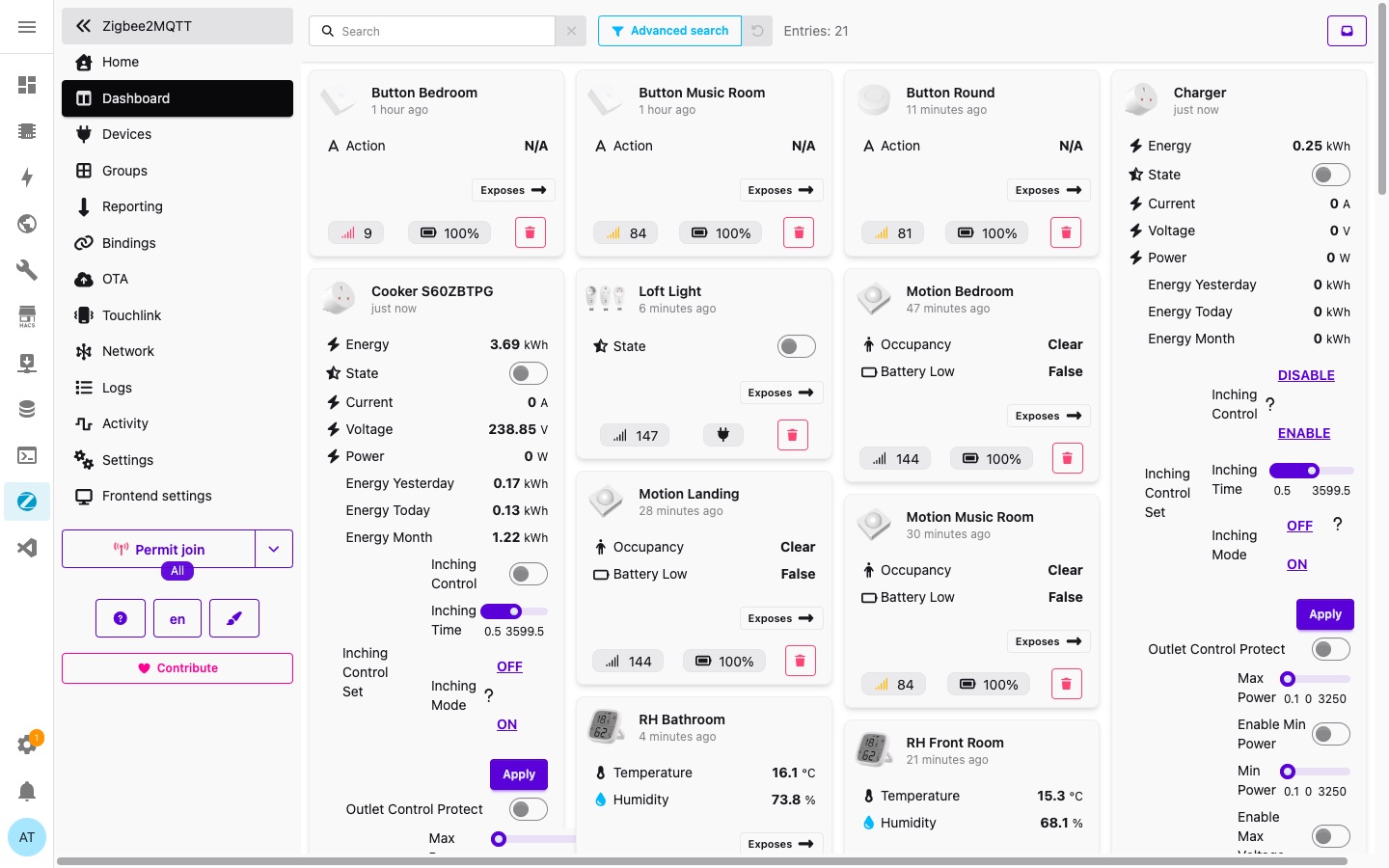
The previous setup was two Sonoff Zigbee Bridge and Bridge Pro hubs feeding eWeLink cloud feeding Home Assistant — thirteen devices in total including motion sensors, temperature/humidity sensors, smart plugs, and wall switches.
There is no shortcut. Zigbee devices can only belong to one network at a time. The process is:
- Unpair every device from eWeLink
- Delete the eWeLink integration instances from HA
- Install the Sonoff dongle and set up Zigbee2MQTT in HA
- Re-pair all devices to the new coordinator
Budget an evening. The Z2M setup itself is straightforward — the time is in re-pairing devices one by one.
If you have not set up secrets.yaml or the ESPHome addon yet, see the foundations page first.
Building the Mesh
Victorian brick construction is hostile to 2.4GHz. A single solid brick wall produces a significant signal quality drop. The initial mesh after migration was routing poorly — devices several floors away were taking three hops through the roof space rather than routing sensibly through intermediate floors.
Two things to understand about Zigbee mesh:
Mains-powered devices route; battery-powered devices do not. Smart plugs, switches, and repeaters act as mesh routers automatically. Battery-powered sensors are end nodes only and contribute nothing to the mesh infrastructure.
The mesh takes 24-48 hours to settle after any significant change. Signal quality reported immediately after a device joins is optimistic — routes stabilise over time. Do not draw conclusions about mesh quality in the first few hours.
Repeaters placed strategically — one on the Synology NAS USB port (on 24/7, no additional power draw), one in the kitchen extension, one on the landing, one in the front room — resolved the routing problems entirely. A previously unreachable outdoor sensor rejoined once the repeaters were in place.
Network Map and External Visualisers
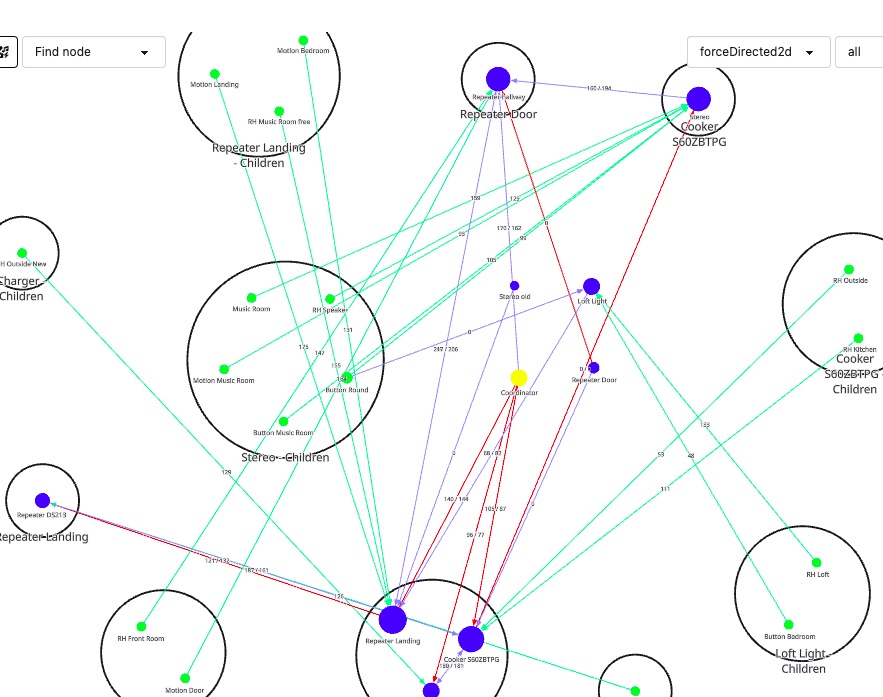
The built-in Z2M network map (Network → forceDirected2d) shows live mesh topology — which devices are routing through which, with LQI values on each link. Green links indicate good signal, red indicates poor.
Z2M also supports external map renderers via the map type dropdown:
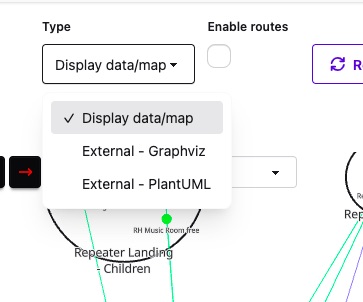
Both Graphviz and PlantUML produce cleaner, more structured diagrams than the interactive view — useful for documenting a large mesh or identifying routing problems more clearly. Both are worth exploring once the mesh is stable.
WiFi and Zigbee Channel Separation
WiFi and Zigbee share the 2.4GHz band. Overlapping channels produce interference.
Set WiFi to channel 1 at 20MHz bandwidth. Channel 1 at 20MHz occupies 2.401–2.423GHz. The 20MHz width matters — 40MHz doubles the occupied spectrum and can overlap Zigbee directly. Speed loss on 2.4GHz is not a concern; put fast devices on 5GHz, which Zigbee never touches.
Set Zigbee to channel 25. In Z2M: Settings → Network Settings → Channel → 25. Channel 25 sits at 2.475GHz, providing over 50MHz of clear separation from WiFi channel 1. Avoid channel 26 — some devices do not support it.
When the Zigbee channel is changed, all devices drop off and rejoin automatically. Most recover within minutes. The mesh re-settles over 24-48 hours. Do it once during initial setup and leave it.
Neighbours’ WiFi on channel 11 (2.462GHz) overlaps Zigbee channels 18-22, which is an additional reason to push Zigbee up to channel 25.
Device Notes
Older Sonoff Zigbee smart sockets contribute weakly to the mesh. The newer round Sonoff sockets are considerably better as routers. Older Sonoff temperature/humidity sensors are unreliable; the current generation is a different product and performs well.
The AliExpress repeaters outperformed several of the Sonoff devices as mesh routers. At under £4 each there is no reason to be conservative with them.
The Result
With eWeLink cloud there was a perceptible lag between a button press and an automation firing — the round trip to Sonoff’s servers is measurable. With a fully local Z2M setup the response is essentially instantaneous. 21 devices, solid mesh, sub-perceptible response times.